

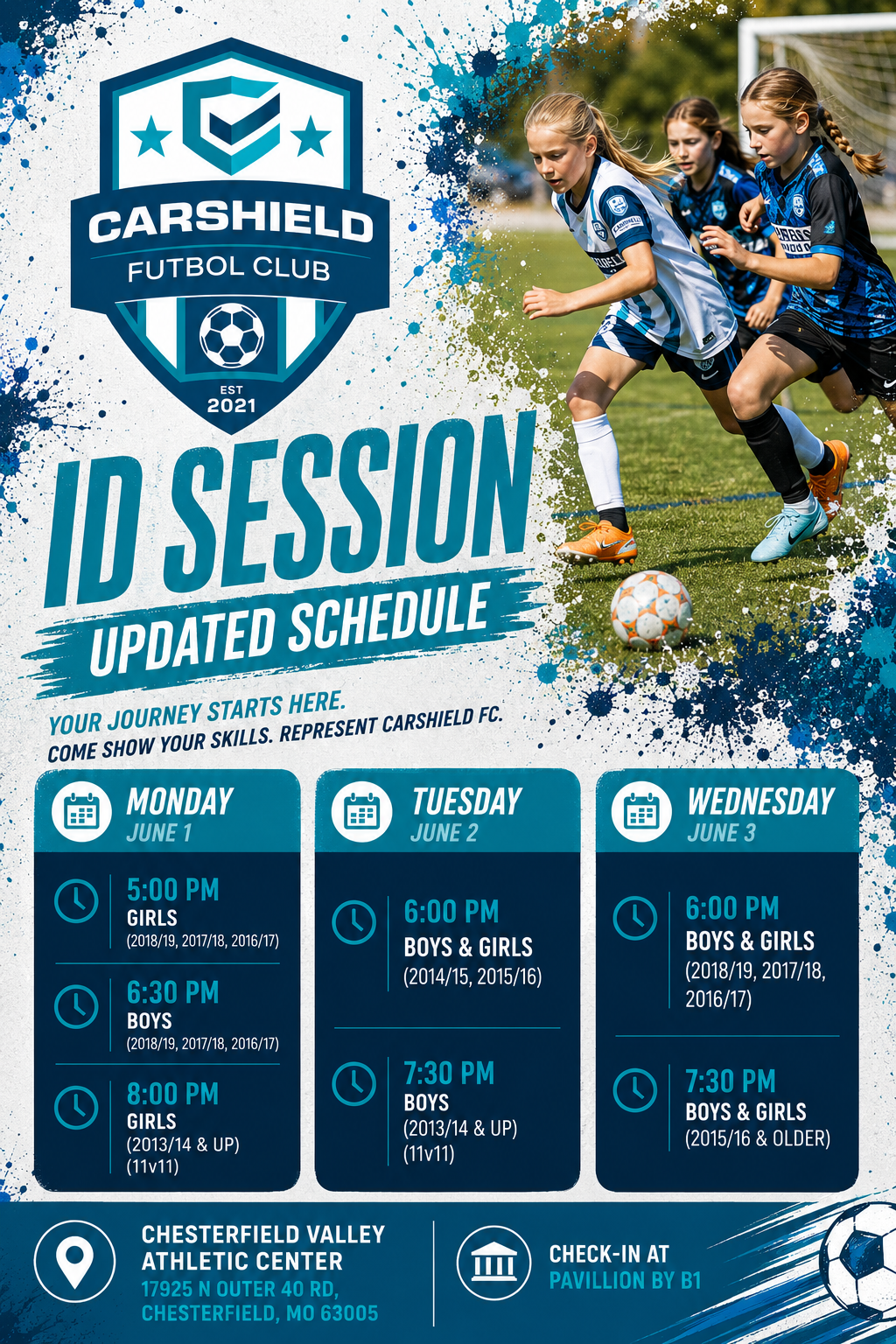
CarShield FC’s
26-27 season
ID Sessions schedule.
New players, come join us for an ID Session and evlauation!
Discover your potential at an upcoming CarShield FC
ID session, where players are evaluated in a high-energy and fun environment. Our professional staff coaches will work directly with participants to identify competitive opportunities within our club pathways. There is no obligation
to join, but all players must pre-register online before arriving at the fields. Don’t miss this chance to experience our coaching culture and take the next step in your soccer journey!
All ID Sessions in this listing will be held at:
Chesterfield Valley Athletic Complex (CVAC)
17925 N Outer 40 Rd.
Chesterfield, MO. 63005
Enjoy one of the best South County facilities and our players’ first club together
Get ready to show us what you’ve got, South County players!
All ID Sessions listed on the left will be held indoors at STL Athletic Center, so come ready to play, compete, and have fun. All ages U6-U19 welcome. Please pre-register before you arrive so we can get you checked in and on the field quickly.
This is your chance to shine, try new things, and discover exactly where you’ll excel at CarShield FC
!
All ID Sessions in this listing will be held at:
STL Athletic Center
2300 Hitzert Ct
Fenton, MO. 63026
Not ready to take the pitch just yet?
You can still join us!
It will only take a minute..
You can pre-register here for more information, kickaround info, and just more about CarShield Futbol Club. Additionally, it will save time later when you decide we are the right place for your player and family! ~
17925 N Outer 40 Rd.
We respect your inbox—no spam, just CarShield Surf soccer.Chesterfield, MO. 63005
Creating a GotSport Account
We are using the same GotSport system we have used for many years, which allows one single account for everything, which is great. This pre-registration allows us to get families into the system and allows for faster full registration after tryouts.
INSTRUCTIONS:
TIPS: Make sure you read through the questions and understand what it is looking for. You can easily create an account for your player to log in, which is fine, but most don’t want or need that. This is especially important when adding players or parents/guardians to the account, as the screen looks a little different. Always continue to use the same email address soall players, family members, guardians all tied together… that’s the key.
(1) Click the PRE-REGISTRATION
link provided:
UPDATED LINK FOR: 2026/2027 Season
(2) Click
CREATE AN ACCOUNT (if you are a coach or manager, use the same account you already created and login)
(3) Select I’m registering my child or someone else.
(4) Complete Player Profile in the upper section labeled
Registrant’s Information
(5) If your player’s graduation year is not in the drop-down, skip it. This is to ID trapped players.
(6) Complete your
Parent/Guardian Profile in the middle section labeled Your Information (make sure you pick the Central Time Zone as well, or everything will be off by an hour for you:)
(7) Create a GotSport Account…. this is used for everything from here forward, including all correspondence, so please make sure you are using your correct email and a good password
(8) Click Sign Up
(9) Once completed, to add additional players or parents/guardians, it SHOULD bring you back to the screen to Add a Family Member. If it does not, click the link above again, and it should take you back to the registration page and allow you to click
Register next to Add Family Member
.
(10) When you are completed, you should come to the payment tab and a $0 registration option, click SELECT and check out, or click on Register Someone Else.
(11) Final page should provide a $0 overview and the option to click
Register
QUESTIONS / CONCERNS: registrar@carshieldfc.com
To reach your account forward, you can go to: